What is a VPN? How It Works – Explained Simply (2026 Guide)
Imagine you’re passing a note to your friend in class. But instead of handing it directly, you fold it, seal it in an envelope, and send it through a trusted middleman, one who also replaces your name with a fake one. Nobody can read the note. Nobody knows it came from you.
That’s basically what a VPN does for your internet traffic. Let’s break it down properly.
So, what exactly is a VPN?
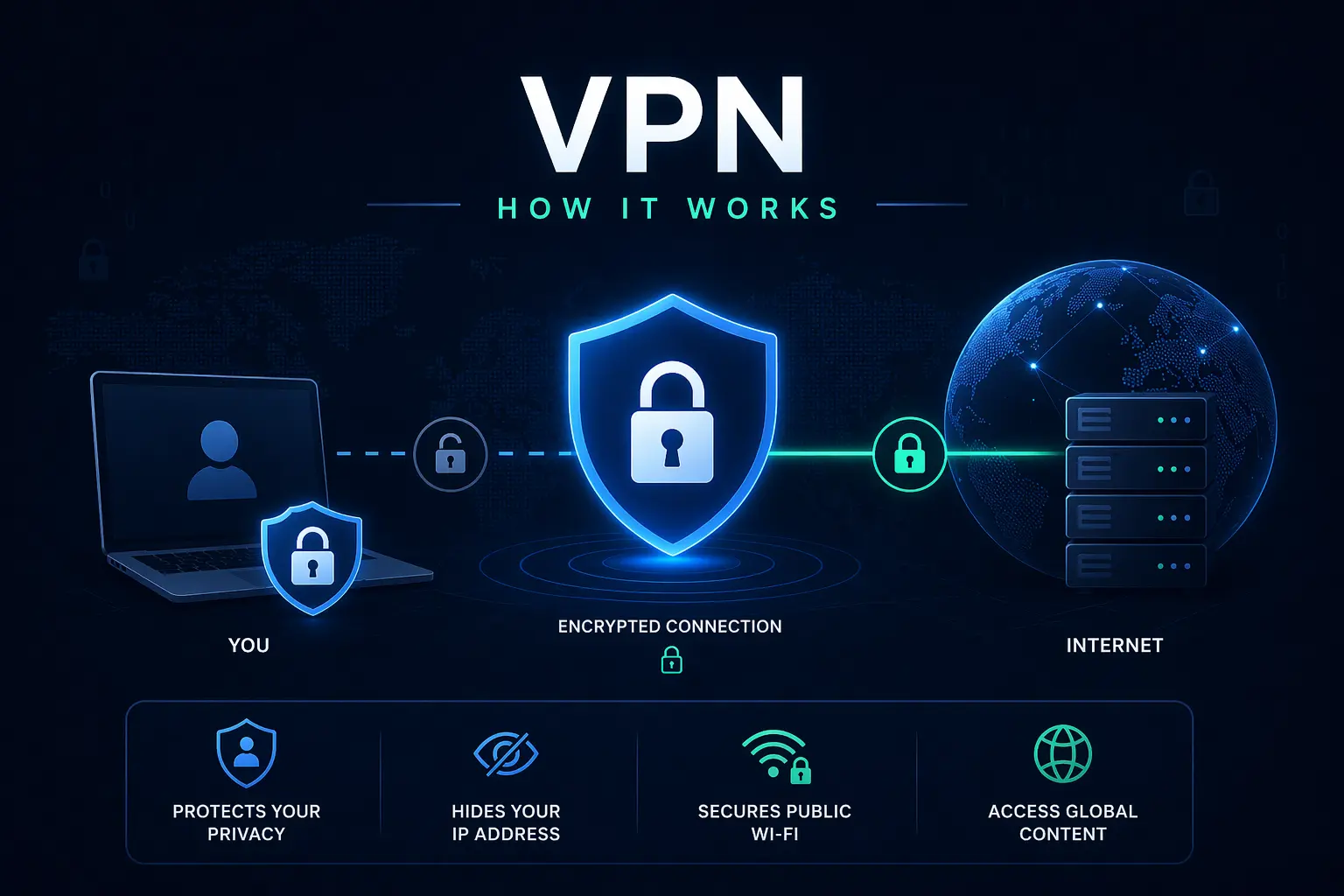
VPN stands for Virtual Private Network. It’s a tool that creates a secure, encrypted “tunnel” between your device and the internet. Think of it like a secret underground passage that hides where you’re coming from and scrambles everything you send or receive.
🔒 In simple terms: A VPN hides your identity online and protects your data from being snooped on whether that’s hackers, your ISP (internet provider), or even government surveillance.
How does a VPN work?
Without a VPN, here’s what normally happens when you open a website:
- Your device → Your ISP (sees everything) → Website (sees your real IP address)
- Your internet provider can see every site you visit. The websites you visit can see your real location via your IP address. It’s like browsing the web with your name tag on. And if you think switching to incognito mode fixes that, it doesn’t. Why Incognito Mode Isn’t Actually Private? explains why your activity is still visible to your ISP and websites.
Now here’s what happens with a VPN:
- Your device → Encrypted tunnel → VPN server → Website (only sees VPN’s IP)
- Your data gets encrypted (scrambled into unreadable code) before it even leaves your device. It then passes through a VPN server, which swaps your real IP address with its own. The website on the other end only sees the VPN’s IP, not yours.
The three things a VPN actually does
1. Encrypts your data
Encryption turns your readable data into coded gibberish that only the intended recipient can decode. If you want to understand this deeply, including how apps like WhatsApp protect messages, check How does end-to-end encryption work?.
2. Hides your IP address
Your IP address is like your home address on the internet. A VPN replaces it with the VPN server’s IP, making it look like you’re browsing from a completely different location, or even a different country.
3. Bypasses geo-restrictions
Ever tried to watch something on Netflix and got hit with “this content is not available in your region”? A VPN can get around this by making websites think you’re somewhere else entirely.
When should you actually use a VPN?
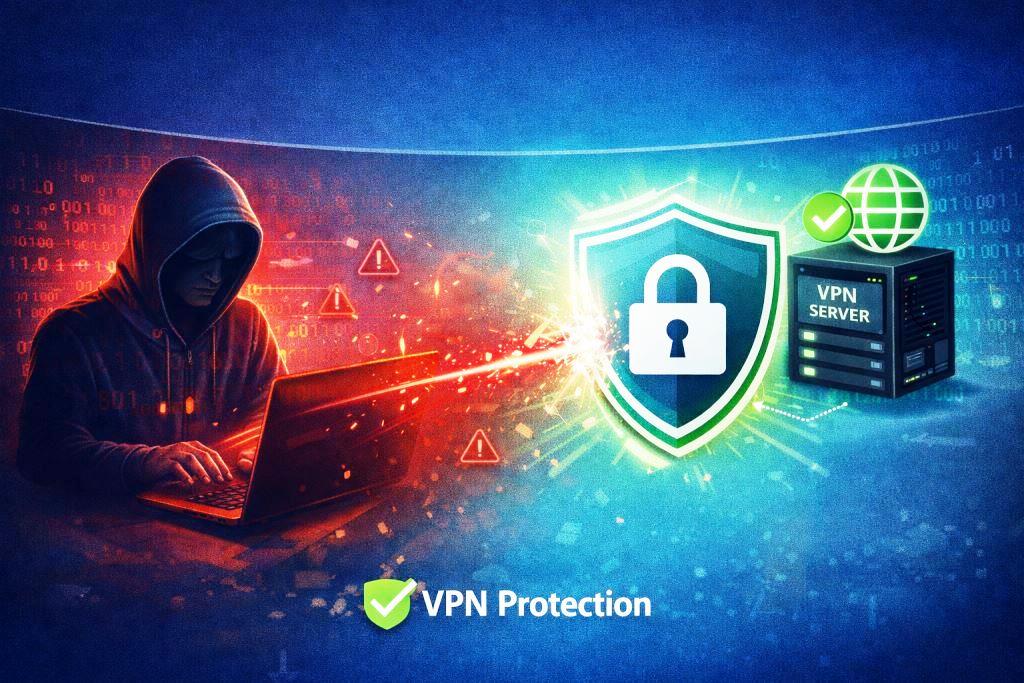
- On public Wi-Fi – Coffee shops, airports, and hotels. These networks are prime targets for hackers. A VPN keeps you protected.
- For streaming – Access shows and content locked to other regions.
- For privacy – Stop your ISP from tracking and potentially selling your browsing habits.
- For remote work – Access company files and internal systems securely from home or abroad.
- While traveling – Some countries restrict certain websites. A VPN helps you stay connected to the apps and services you rely on.
VPN protocols: the real engine under the hood
If a VPN is the tunnel, the protocol is the set of rules that decides how that tunnel is built, how strong it is, and how fast traffic moves through it. Different protocols make different trade-offs between speed, security, and compatibility.
Think of it like choosing a vehicle for a road trip: a sports car (fast, less luggage), an SUV (balanced), or an armored truck (maximum safety, slower). Your VPN provider picks or lets you choose which one to use.
Here are the main VPN protocols you’ll come across:
1. OpenVPN: the reliable veteran
💡 Best for: Privacy-first users who don’t mind slightly slower speeds.
OpenVPN has been around since 2001 and is still one of the most trusted protocols in the world. It’s open-source, meaning thousands of security experts have reviewed and tested its code for vulnerabilities. It uses AES-256 encryption, the same standard used by governments and militaries. The downside? It’s not the fastest, and setting it up manually can be complex. Most VPN apps handle this for you automatically.
2. WireGuard: the new speed king
💡 Best for: Everyday users who want speed without sacrificing security.
WireGuard is the newest major protocol, and it’s taking the VPN world by storm. It has only around 4,000 lines of code (compared to OpenVPN’s 400,000+), which makes it leaner, faster, and easier to audit for security flaws. It’s now the default protocol on many top VPNs like NordVPN and Mullvad. If your VPN app offers WireGuard, use it. It’s fast, modern, and extremely secure.
3. IKEv2/IPSec: the mobile-friendly one
💡 Best for: Smartphones and users who switch between Wi-Fi and mobile data frequently.
IKEv2 (Internet Key Exchange version 2) paired with IPSec is known for one killer feature: it reconnects almost instantly when your network changes. Drop from Wi-Fi to 4G on your phone? IKEv2 re-establishes your VPN connection in milliseconds. It’s fast, stable, and natively supported on iOS and Android. Great for mobile users on the move.
4. L2TP/IPSec: the aging middleman
💡 Best for: Legacy systems and basic use cases only.
L2TP (Layer 2 Tunneling Protocol) on its own provides no encryption; it relies on IPSec to do the heavy lifting. It’s slower than modern protocols, and there are concerns that intelligence agencies may have weakened it. Most security experts recommend skipping this one unless you have no other option. It’s being phased out by most serious VPN providers.
5. SSTP: Windows’ native protocol
💡 Best for: Windows users in restrictive network environments.
SSTP (Secure Socket Tunneling Protocol) was developed by Microsoft and is deeply integrated into Windows. Its biggest strength is that it runs over port 443, the same port used by HTTPS traffic, making it very hard for firewalls to block. It’s a solid choice if you’re on Windows and operating in a country with heavy internet censorship. Less useful on other platforms.
6. OpenVPN over TCP vs. UDP: What’s the difference?
OpenVPN can run in two modes: UDP (User Datagram Protocol) and TCP (Transmission Control Protocol).
- UDP is faster; it sends data without waiting for confirmation that each packet arrived. Great for streaming and gaming.
- TCP is more reliable because it checks that every packet arrives correctly. Better for unstable connections, but slightly slower.
Most VPN apps default to UDP and switch to TCP automatically if the connection drops. You usually don’t need to touch this setting.
🧠 Quick protocol cheat sheet:
- Want speed? → WireGuard
- Want maximum security + open-source trust? → OpenVPN
- On mobile and switching networks often? → IKEv2/IPSec
- Using Windows behind a strict firewall? → SSTP
- Avoid when possible → L2TP/IPSec
The honest pros and cons of using a VPN
😯 Why it’s great:
- Keeps your internet traffic encrypted and private
- Hides your real IP address and location
- Unlocks region-locked content and streaming libraries
- Protects you from snooping on public Wi-Fi
- Prevents your ISP from tracking what you browse
😎 The catch:
- Can slow your internet speed slightly (due to rerouting traffic)
- Good, trustworthy VPNs usually cost money
- Doesn’t make you 100% anonymous online
- Some websites actively block known VPN IP addresses
- You’re placing your trust in the VPN provider; choose wisely
Free VPN vs. paid VPN: What’s the difference?
Here’s the uncomfortable truth: free VPNs often make money by logging and selling your browsing data, which completely defeats the purpose of using one.
If a product is free, you are usually the product.
Reputable paid VPNs like NordVPN, ExpressVPN, or Proton VPN invest in proper encryption, no-logs policies, and fast global servers. For everyday privacy needs, a trusted paid VPN is well worth a few dollars a month.
💡 Quick tip: Always look for VPNs with a verified “no-logs policy”, meaning they don’t record or store your browsing activity. That’s your best guarantee of real privacy.
Final verdict: Is a VPN worth it?
A VPN is one of the easiest and most effective privacy upgrades you can make right now. It won’t turn you into a ghost on the internet, but it will add a meaningful layer of protection between your data and the people who’d love to get their hands on it.
Whether you’re on sketchy public Wi-Fi, tired of being tracked, or just want to browse freely, a VPN is worth having in your toolkit.
Start with a reputable provider, check their privacy policy, and you’re good to go.
Frequently asked questions about VPNs
Q. Is using a VPN illegal?
In most countries, no. VPNs are completely legal in the US, UK, India, and most of Europe. However, some countries like China, Russia, and the UAE restrict or ban their use. Always check local laws before using one.
Q. Is VPN legal in India?
Yes, using a VPN is completely legal in India for everyday purposes like privacy, streaming, or secure browsing. However, in 2022, India’s CERT-In (Computer Emergency Response Team) issued a directive requiring VPN providers to store user logs, including names, IP addresses, and usage data, for at least five years. This means some major VPN providers (like ExpressVPN and NordVPN) pulled their physical servers out of India in response. You can still use a VPN in India freely, but if privacy is your top concern, choose a provider with a strict no-logs policy and servers outside India.
Q. Does a VPN make me completely anonymous online?
Not 100%. A VPN hides your IP address and encrypts your traffic, but if you’re logged into Google, Facebook, or any account, those platforms still know who you are. Use a VPN alongside good privacy habits for the best results.
Q. Will a VPN slow down my internet?
Slightly, yes – because your traffic is being rerouted through an extra server. A quality VPN provider minimizes this impact significantly, and for most everyday browsing, the slowdown is barely noticeable.
Q. Do I need a VPN at home?
Not strictly necessary, but still useful. If you don’t want your ISP tracking your browsing habits, or you want to access content from other regions, a home VPN is a smart move.
Q. Which VPN protocol is the best?
For most people in 2026, WireGuard is the best all-around choice; it’s fast, modern, and highly secure. If your VPN doesn’t offer WireGuard, OpenVPN is the trusted fallback. Avoid L2TP/IPSec if you can; it’s outdated and potentially compromised.
Q. What does “VPN tunnel” mean?
The “tunnel” refers to the encrypted path your data travels through between your device and the VPN server. It’s called a tunnel because, just like a real tunnel, what’s inside is hidden from the outside world.

I'm a tech guy at heart, always exploring, always learning. From AI and modern tech to hands-on how-to guides, I write about the things I discover so you don't have to figure it out alone.