What is Two-Factor Authentication? (And Why You Must Use It)
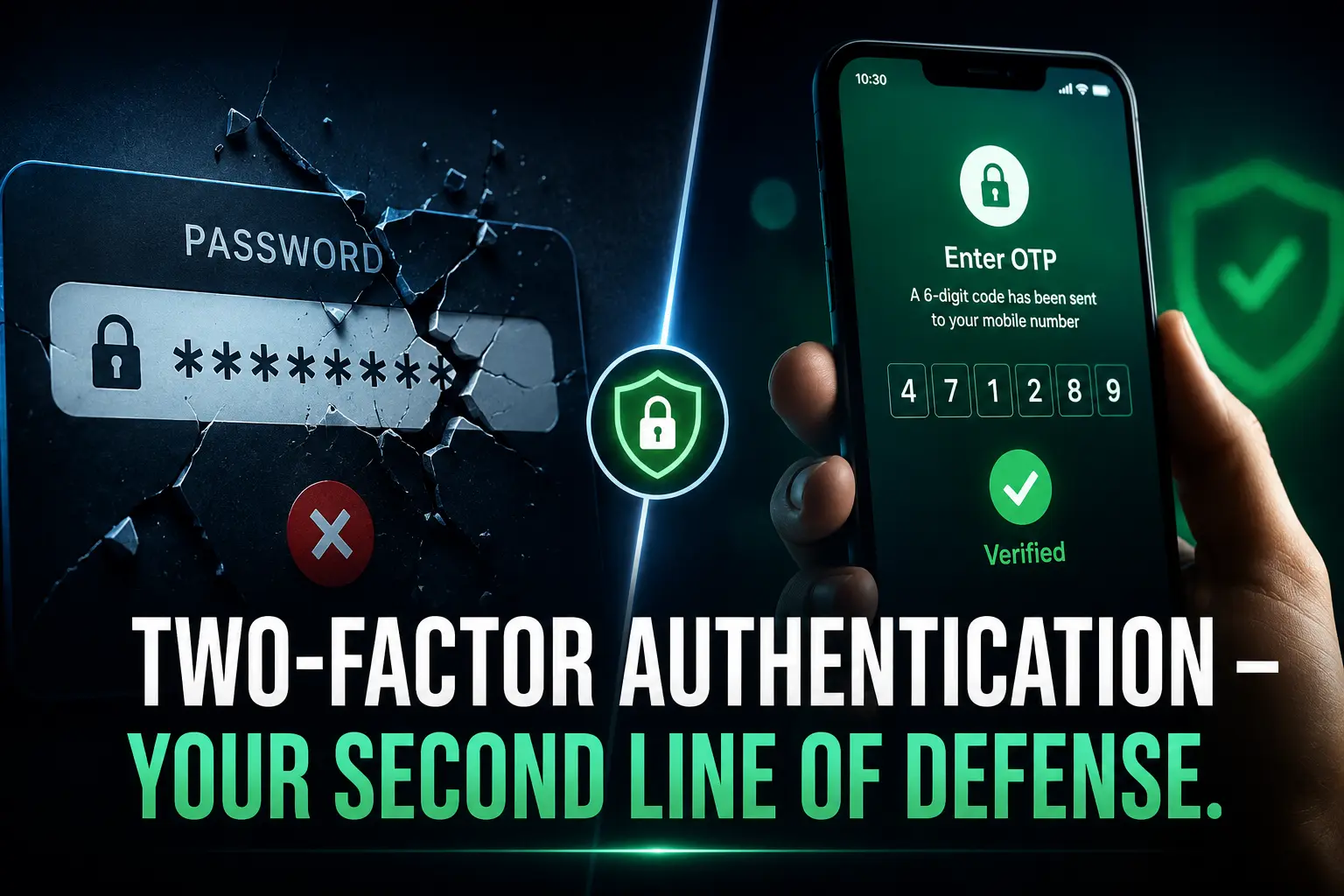
Your password alone isn’t enough anymore. Here’s what two-factor authentication is, how it works, and why skipping it is a risk you can’t afford.
We’ve all been there: you get an email saying “Your account was logged into from a new device.” Your heart drops. You check your phone. That wasn’t you.
Passwords get stolen every single day. Data breaches, phishing scams, and brute-force attacks have made passwords alone about as reliable as locking your house with a sticky note. That’s exactly where Two-Factor Authentication, or 2FA, steps in.
Let’s break it down, plain and simple.
What is Two-Factor Authentication (2FA)?
Two-Factor Authentication is a security method that requires you to verify your identity in two separate ways before you can log into an account.
Think of it like a bank locker. You need two keys to open it; one key alone won’t do the job. Same idea here.
When 2FA is enabled, logging in requires:
- Something you know – your password
- Something you have or are – a one-time code sent to your phone, a fingerprint, or a hardware key
So even if a hacker somehow gets your password, they still can’t get in without that second factor. That’s the whole point.
How Does 2FA Actually Work? (Step-by-Step)
Here’s what happens behind the scenes when you log in with 2FA turned on:
- Step 1: You enter your username and password as usual.
- Step 2: The website or app says, “One more thing: verify it’s really you.”
- Step 3: You receive a one-time code via SMS, an authenticator app, or email.
- Step 4: You enter that code. It usually expires in 30–60 seconds.
- Step 5: Access granted. You’re in.
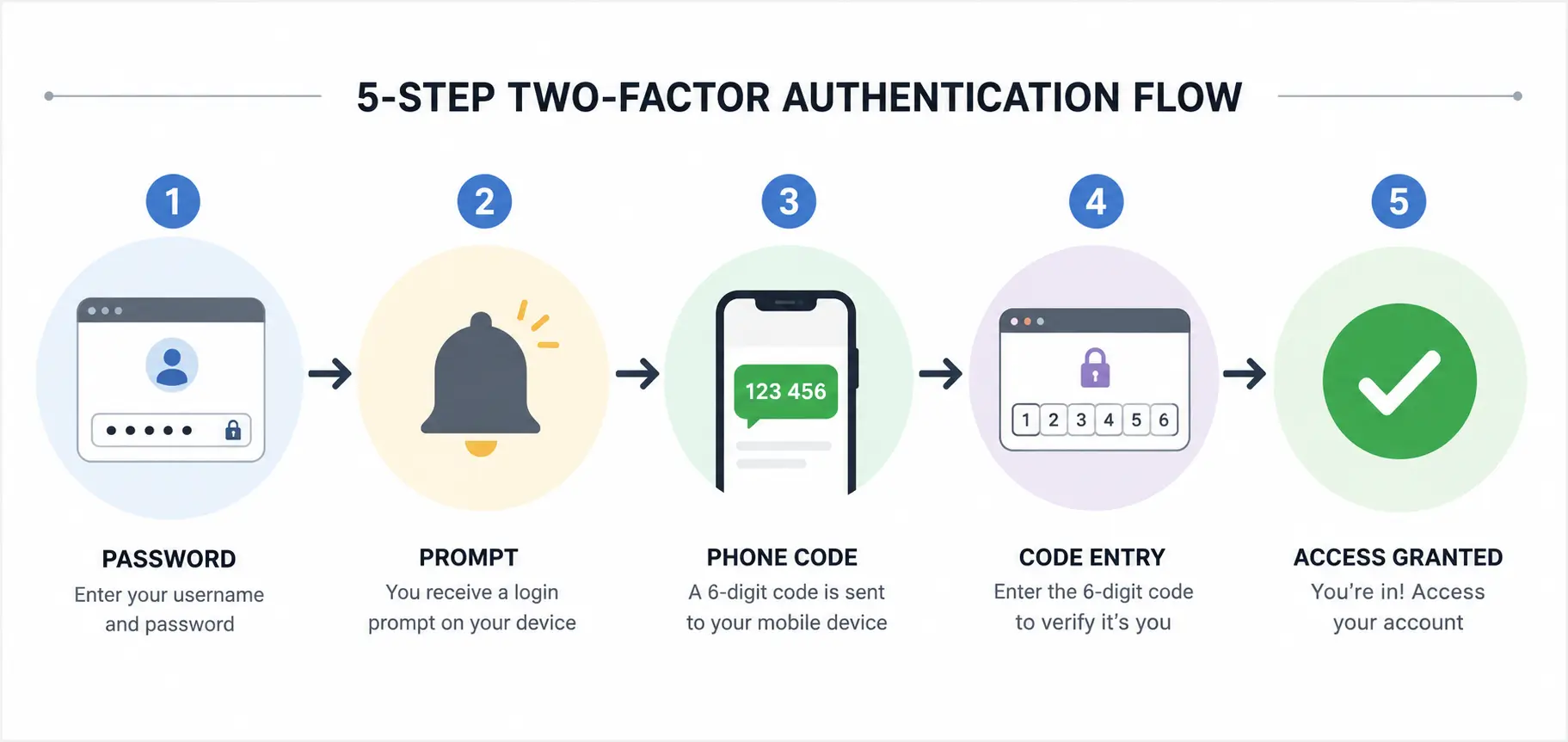
Simple for you. Nearly impossible for a hacker sitting halfway around the world.
Types of Two-Factor Authentication
Not all 2FA methods are created equal. Here’s a quick breakdown:
1. SMS-Based 2FA
A one-time code is sent to your registered phone number via text. It’s the most common type, easy to set up, but not the strongest. SIM-swapping attacks can bypass it.
2. Authenticator Apps
Apps like Google Authenticator, Microsoft Authenticator, or Authy generate a time-based OTP (one-time password) every 30 seconds. This is significantly more secure than SMS.
3. Email-Based OTP
A code is sent to your email address. Convenient, but only as secure as your email account itself.
4. Hardware Security Keys
Physical devices like YubiKey plug into your USB port or tap via NFC. This is the gold standard of 2FA used by journalists, security professionals, and anyone managing high-value accounts.
5. Biometric Authentication
Your fingerprint or face scan counts as a second factor in many modern apps, especially on smartphones.
2FA vs. MFA: What’s the Difference?
You might also hear the term Multi-Factor Authentication (MFA). Here’s the simple version:
| Feature | 2FA | MFA |
|---|---|---|
| Number of factors | Exactly 2 | 2 or more |
| Common use case | Everyday apps | Banks, enterprise systems |
| Security level | High | Very High |
2FA is actually a type of MFA. MFA is the broader category. For most people, 2FA is more than enough.
Why You Absolutely Must Use 2FA
Let’s be real, most people skip 2FA because it feels like one extra annoying step. But consider this:
- 81% of data breaches involve weak or stolen passwords (Verizon Data Breach Investigations Report)
- Hackers can crack a simple 8-character password in under 8 hours
- Credential-stuffing attacks using leaked passwords from one site to break into another are fully automated and run around the clock
Without 2FA, a leaked password = a hacked account. Full stop.
With 2FA, even a leaked password is useless to the attacker. They’d still need your phone or your fingerprint.
Real-World Scenario:
Imagine your email password gets leaked in a data breach (it happens more than you think; check haveibeenpwned.com to see if yours already has). Without 2FA, the hacker logs right in, reads your messages, resets your bank passwords, and locks you out of everything.
With 2FA? They hit a wall. The attack stops right there.
Which Accounts Should You Protect with 2FA First?
If you’re not sure where to start, prioritize these:
- Email accounts: (Gmail, Outlook) – your email is the master key to everything else
- Banking and financial apps: your bank, PayPal, investment accounts
- Social media: Instagram, Facebook, Twitter/X, LinkedIn
- Cloud storage: Google Drive, Dropbox, iCloud
- Password managers: 1Password, Bitwarden, LastPass
- Work accounts: Microsoft 365, Slack, Zoom, GitHub
Basically: if losing access to it would ruin your day (or your life), turn on 2FA.
How to Enable 2FA General Steps
Most platforms follow the same basic flow:
- Go to Settings → Security (or Privacy)
- Look for Two-Factor Authentication or Two-Step Verification
- Choose your preferred method (authenticator app is recommended)
- Scan the QR code using your authenticator app
- Enter the verification code to confirm it’s working
- Save your backup codes; these are critical if you ever lose your phone
That last point matters. Backup codes are your lifeline if you lose access to your second factor. Store them somewhere safe, not on the same device you use to log in.
Is 2FA 100% Foolproof?
Honest answer: no security system is 100% unbreakable. But 2FA is dramatically better than passwords alone.
Known weaknesses include:
- SIM swapping: attackers convince your carrier to transfer your number to their SIM (this is why SMS 2FA is the weakest option)
- Real-time phishing: fake login pages that capture your OTP the moment you enter it
- Social engineering: tricking you into sharing your code over a call or chat
The fix? Use an authenticator app instead of SMS wherever possible, and never share your OTP with anyone: no legitimate company will ever ask for it.
FAQ: What is Two-Factor Authentication?
Q: What is Two-Factor Authentication in simple terms?
Two-Factor Authentication (2FA) is a login security method that requires two proofs of identity, typically your password plus a one-time code sent to your phone or generated by an app. Even if someone steals your password, they can’t log in without that second factor.
Q: Is 2FA really necessary?
Yes. Passwords alone are not enough. Over 80% of account breaches involve stolen or weak passwords. 2FA stops most of these attacks cold, even when your password is already compromised.
Q: What’s the best type of 2FA to use?
Authenticator apps like Google Authenticator or Authy offer the best balance of security and convenience for everyday users. Hardware keys like YubiKey provide the highest security but are more suited for high-risk accounts or professionals.
Q: Can 2FA be hacked?
It’s very difficult but not impossible. SMS-based 2FA can be bypassed through SIM swapping or real-time phishing. Authenticator app-based 2FA is much harder to defeat. No system is 100% secure, but 2FA raises the bar significantly.
Q: What happens if I lose my phone and can’t get my 2FA code?
Most platforms provide backup codes when you first set up 2FA. Store them somewhere safe offline. Some services also allow account recovery through a trusted device or manual identity verification.
Q: Does 2FA slow down login?
Only by a few seconds. That tiny inconvenience protects you from potentially losing your accounts, money, and personal data. Completely worth it.
Q: Is SMS OTP the same as 2FA?
Yes, SMS OTP is a form of 2FA. But it’s not the most secure option. Authenticator apps and hardware keys are stronger alternatives worth switching to.
The Bottom Line
Two-Factor Authentication is one of the simplest and most effective ways to protect your digital life. It takes less than two minutes to set up and can save you from months of headaches, identity theft, and financial loss.
Your password is the first line of defense. 2FA is the wall behind it.
Set it up today on your email first, then everywhere else.

I'm a tech guy at heart, always exploring, always learning. From AI and modern tech to hands-on how-to guides, I write about the things I discover so you don't have to figure it out alone.