Smart DNS vs. VPN: Which One Actually Unblocks Streaming Faster?
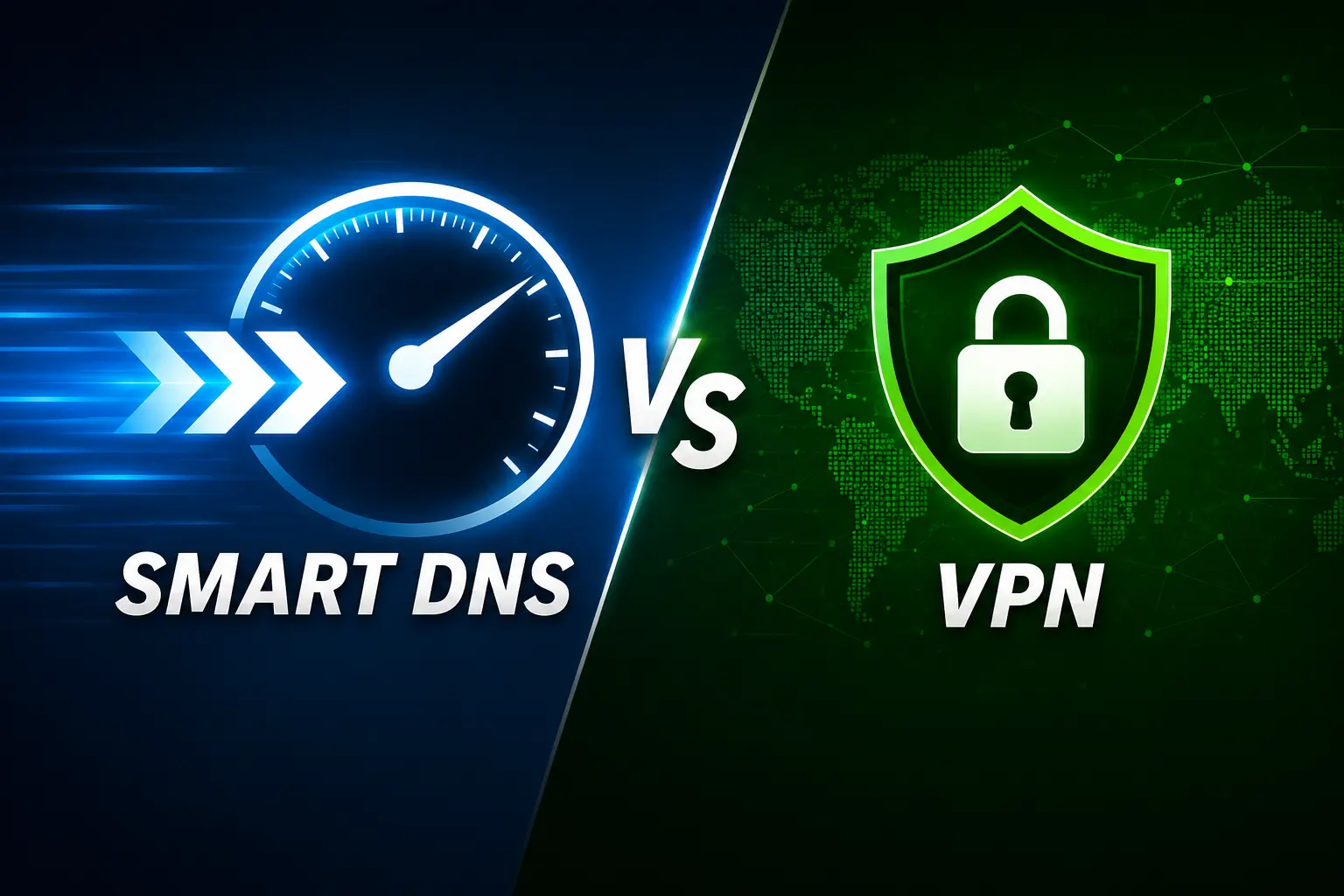
You’ve found the perfect show. It’s on Netflix, just not your Netflix. It’s sitting on a server in another country, and your account can’t touch it. So you go looking for a fix, and two names keep popping up: Smart DNS and VPN.
Both promise to unlock that library. Only one of them won’t make your stream buffer every time a scene gets intense.
Here’s the real answer on which is faster, why, and which one you should actually be using tonight.
The Short Answer
Smart DNS is faster for streaming. A VPN is safer for everything else.
That’s the whole trade-off in one sentence. Now let’s get into why, because the “why” is what tells you which one fits your situation.
What Smart DNS Actually Does
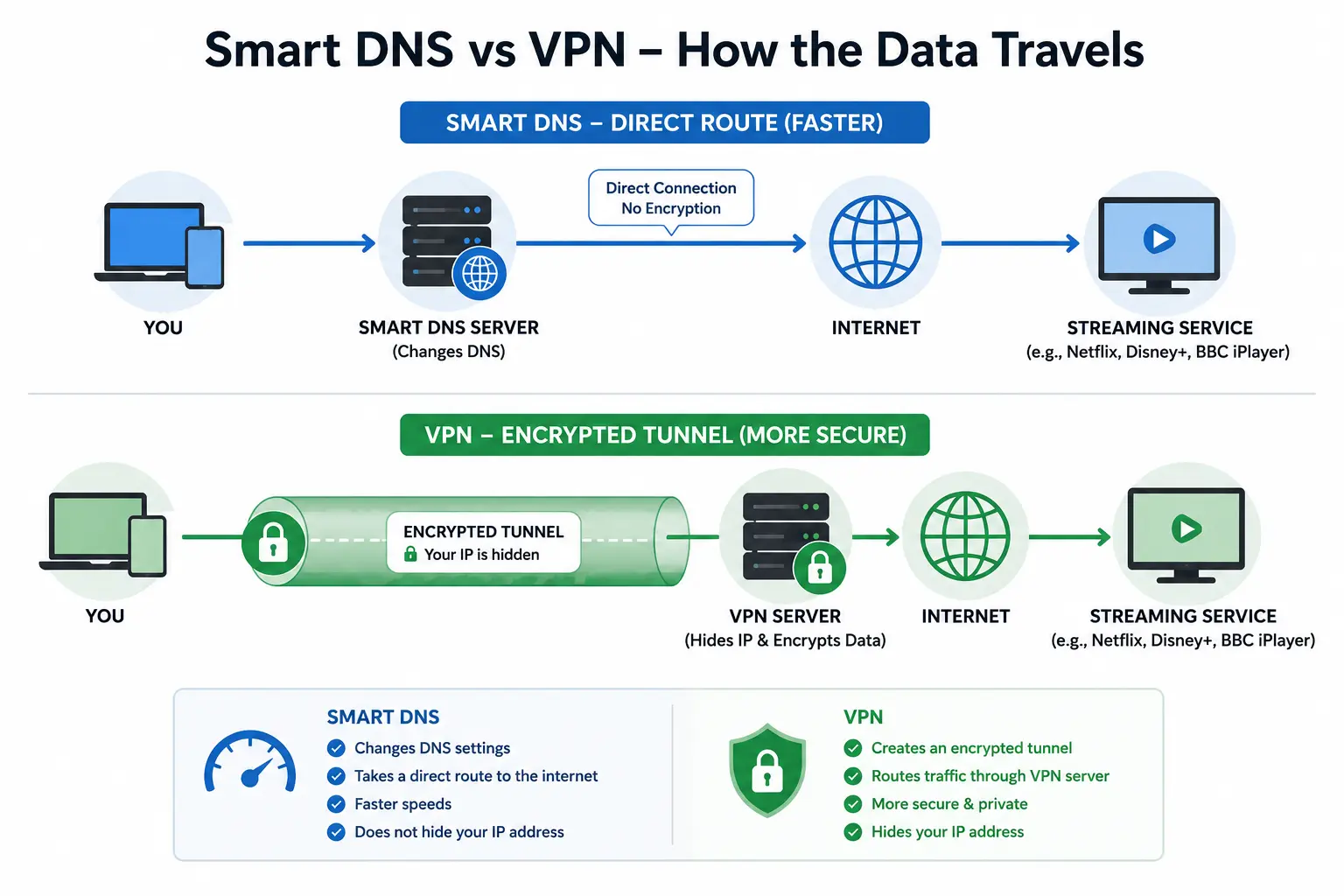
Smart DNS doesn’t touch your internet connection at all. It only changes one small thing: how your device figures out where a streaming service’s servers live.
Every time you open Netflix or BBC iPlayer, your device asks a DNS server, “Where do I find this?” Normally, that DNS server also notices your real location and reports it back to the streaming app, which is how geo-blocks happen in the first place.
Smart DNS reroutes just that lookup request through a server in the country you want to appear in. Your actual internet traffic, the video itself, still travels the normal, direct route from your ISP to the streaming server. Nothing gets encrypted. Nothing gets rerouted through a distant tunnel. It’s a small, surgical trick, not a full disguise.
That’s exactly why it’s fast. You’re not adding extra distance to your data’s journey, just tricking one small handshake at the start.
What a VPN Actually Does
A VPN takes a completely different approach. It builds an encrypted tunnel between your device and a VPN server, then routes all of your internet traffic through it not just the location check, but every byte of the video stream too.
That encryption is genuinely useful. It hides your activity from your ISP, protects you on public Wi-Fi, and masks your IP address for privacy, not just for streaming. But it comes at a cost: your data now has to travel to the VPN server, get encrypted and decrypted, and then continue to its destination. That’s extra distance and extra processing on every single packet.
If the VPN server is far away or overloaded, you’ll feel it as buffering, as a video that keeps dropping from 4K to 480p, or as a connection that stalls entirely during peak hours.
Why Smart DNS Wins on Speed
The speed gap comes down to one simple fact: encryption and rerouting take work, and Smart DNS skips both.
- No encryption overhead. VPNs spend processing power scrambling and unscrambling your data. Smart DNS doesn’t encrypt anything, so there’s nothing to slow down.
- No detour. Your video data goes straight to the streaming server, the same path it would normally take. A VPN forces that data through a server that might be in a completely different part of the world.
- Works on more devices, natively. Smart TVs, game consoles, and streaming boxes often can’t run a VPN app at all. Smart DNS just needs a DNS setting changed in the device’s network settings, so you can unblock content on hardware that VPNs simply can’t reach.
In real-world tests, this usually plays out as the difference between an instant 4K stream and one that needs 10-15 seconds to buffer, if it loads in high quality at all.
Where a VPN Still Wins
Speed isn’t the only thing that matters, and Smart DNS has real gaps a VPN fills.
- Your ISP can still see everything. Since Smart DNS doesn’t encrypt traffic, your internet provider can still see exactly what you’re streaming. If your ISP throttles video traffic during busy hours, a common practice, a VPN can help you dodge that throttling. Smart DNS can’t.
- No privacy or security layer. Public Wi-Fi at a coffee shop or airport is a real risk. A VPN encrypts your session so nobody on that network can snoop on you. Smart DNS offers zero protection here.
- Better at beating strict blocks. Some streaming services have gotten good at detecting Smart DNS tricks and blocking them. A well-run VPN with fresh IP addresses can often get back in when Smart DNS gets caught.
Smart DNS vs. VPN: Quick Comparison
| Factor | Smart DNS | VPN |
|---|---|---|
| Streaming speed | Faster: no encryption, no detour | Slower: encryption and rerouting add lag |
| Encryption | None | Full encryption |
| Privacy from your ISP | No | Yes |
| Works on smart TVs/consoles | Yes, natively | Limited, many devices can’t run VPN apps |
| Setup | One-time DNS change | App install + server selection |
| Public Wi-Fi safety | No protection | Protected |
| Detection resistance | Easier to detect and block | Generally harder to detect |
So Which One Should You Actually Use?
If you just want to watch a show that’s not available in your region, and speed and 4K quality matter most, Smart DNS is the better tool for the job. Set it up once on your router or smart TV, and you’re done: no app, no login, no lag.
If you’re streaming on public Wi-Fi, worried about your ISP throttling your connection, or you simply want your browsing kept private in general, a VPN is worth the small speed trade-off. Many premium VPNs today have narrowed the speed gap significantly with faster protocols, so it’s no longer the dramatic slowdown it used to be a few years ago.
Some people don’t choose; they use both. Smart DNS for daily streaming, and a VPN for anything that touches privacy or security.
FAQ: Smart DNS vs. VPN
Q. Is Smart DNS as secure as a VPN?
No. Smart DNS doesn’t encrypt your traffic, so it offers no protection against snooping. It’s built purely for unblocking content, not for privacy.
Q. Can streaming services detect and block Smart DNS?
Yes. Some services actively blacklist known Smart DNS server addresses, which can make it stop working until the provider updates its servers.
Q. Does a VPN always slow down streaming?
Not always; a nearby, high-quality VPN server can stream smoothly. But it’s still doing more work than Smart DNS, so there’s almost always some speed difference, especially over long distances.
Q. Can I use Smart DNS on a smart TV or gaming console?
Yes, and this is one of its biggest advantages. Since it’s just a DNS setting, it works on devices that can’t install VPN apps, including many smart TVs, consoles, and streaming boxes.
Q. Is it legal to use Smart DNS or a VPN to unblock streaming?
Using either tool is generally legal in most countries. However, doing so may violate the streaming service’s terms of service, which could lead to account restrictions.

I'm a tech guy at heart, always exploring, always learning. From AI and modern tech to hands-on how-to guides, I write about the things I discover so you don't have to figure it out alone.