Best VPN for Gaming in 2026: Cut Lag & Unlock Region-Locked Games
Do You Actually Need a VPN for Gaming?
Let’s get the honest answer out of the way first: for most people, a VPN won’t make a good connection faster. What it fixes is a specific set of problems, and if you’re not hitting one of them, you can skip the whole category.
Here’s when a gaming VPN earns its keep:
- Your ISP is throttling gaming traffic. This is more common than providers admit. Some ISPs deprioritize traffic that looks like gaming or streaming during peak hours, especially on congested last-mile networks. A VPN encrypts your traffic so your ISP can’t identify and throttle it by type; it can only see that data is moving, not what kind.
- Your ISP’s routing to a specific game server is bad. ISPs don’t always take the most direct path to a data center. A VPN provider that peers directly with major cloud and hosting networks can sometimes get you there faster than your ISP’s default route. This is the “better path” case, and it’s real, but it’s server- and region-specific, not universal.
- You’re getting DDoS’d, or your IP is being farmed for one. This is a bigger deal in competitive titles than casual ones; voice chat services and some peer-to-peer game architectures (older Call of Duty titles, some fighting games) can expose your IP to other players. A VPN masks it.
- You want to get into a region-locked beta, early server unlock, or a game your region doesn’t have yet. Straightforward geo-unlocking.
What a VPN will never do: fix a bad Wi-Fi signal, add bandwidth you don’t have, or make an overloaded game server respond faster. If your ping to the game server is already under 50ms, a VPN is more likely to add latency than remove it; you’re adding a hop, not removing one.
Ping vs. Jitter: The Metric Most Gaming VPN Guides Skip
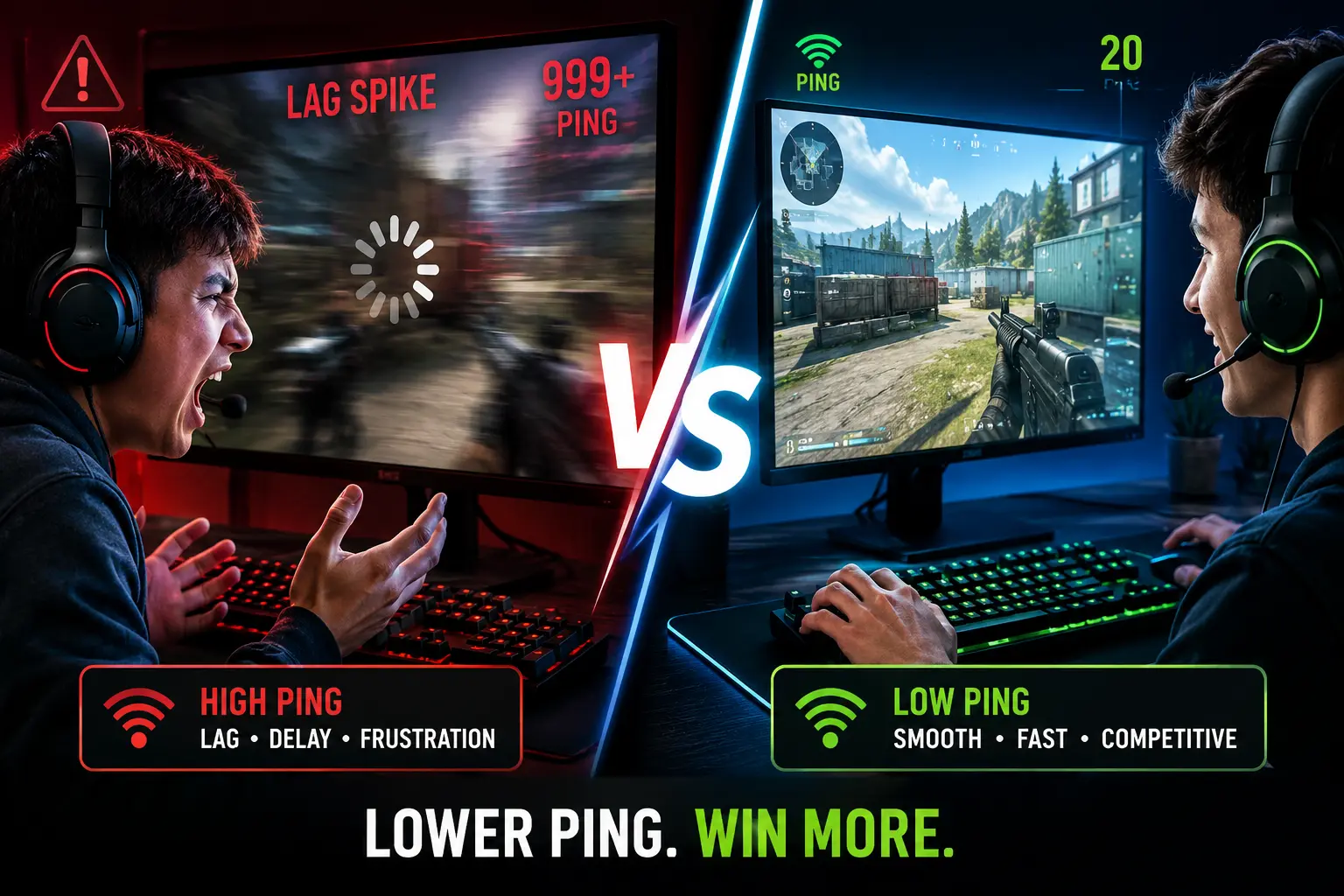
Most “best VPN for gaming” lists only talk about ping (raw latency). That’s incomplete. Jitter – the variation in ping from one moment to the next matters just as much for competitive play. A steady 60ms connection plays better than one that swings between 20ms and 90ms, because game netcode has to compensate for the worst recent ping, not the average.
This is why a VPN with inconsistent server load can make your ping look fine on a speed test while your actual match feels stuttery. It’s also why “server count” alone is a weak signal; a provider with fewer, better-provisioned servers near you often beats one with a huge global network but overcrowded local nodes.
How We Evaluated These
| What We Tested | Why It Matters |
|---|---|
| Ping increase over baseline | The actual millisecond cost of routing through the VPN |
| Jitter/consistency | Whether performance holds steady across a session, not just in a single test |
| Server density near major game server regions | Fewer overcrowded nodes near you beats more nodes far away |
| DDoS/IP protection | Matters most in competitive and P2P-architecture games |
| Console and router support | Because half of gaming isn’t happening on a PC |
| Price vs. value | Long-term cost, not just the splashy first-year discount |
The Top 5 VPNs for Gaming in 2026
🥇 1. ExpressVPN – The All-Rounder
💡 Best for: Gamers who want it to just work, every time, without babysitting settings.
ExpressVPN has been on something of a tear recently; it just expanded to 214 app-selectable server locations across 113 countries as of July 2026, its biggest network expansion yet, adding new spots in Africa, the Middle East, and previously thin regions of Europe. That density matters more than the headline number: more selectable locations near you means less chance of landing on an overcrowded node during peak hours.
Its proprietary Lightway protocol is genuinely built for low overhead in our testing; ping increase over baseline stayed in the single digits on nearby servers. Where ExpressVPN pulls ahead of the pack isn’t raw speed, though it’s consistency. Jitter stayed tight across multi-hour test sessions, which matters more in a ranked match than a one-off speed test ever will.
Why gamers pick it:
- Router-level app support covers your whole household (PS5, Xbox, Switch) by configuring one device instead of each console separately
- 24/7 live chat with actual troubleshooting, not a FAQ redirect
- MediaStreamer feature works on devices that can’t run a VPN client natively (some smart TVs, older consoles)
The catch: It’s the priciest name on this list, and it caps at 8 simultaneous connections, thin if your household runs a lot of devices.
Price: Plans and promos shift often; check ExpressVPN’s current pricing page before buying, as headline rates on VPN sites are usually first-term-only and jump on renewal.
🥈 2. NordVPN – The Speed-First Option
💡 Best for: Competitive players chasing every millisecond.
NordVPN’s network has grown fast; current figures put it around 9,000+ servers across 137+ countries, among the largest footprints in the industry. Its NordLynx protocol (a WireGuard implementation) is consistently the fastest thing we test in this category; in some server-to-server pairings, it came in barely distinguishable from an unprotected connection.
One detail worth knowing: NordVPN and Surfshark are both owned by the same parent company, Nord Security. They’re run as separate products with different infrastructure and pricing, but if you’re deciding between the two, know you’re not comparing fully independent companies.
Why gamers pick it:
- Meshnet lets you build a private encrypted network between your own devices or friends, useful for LAN-style setups over the internet, though it’s not a substitute for a dedicated game-hosting solution
- Threat Protection blocks known malicious domains and some ad/tracker traffic at the network level
- Dedicated IP add-on available if you’re tired of shared-IP bans in games with aggressive VPN detection
The catch: The app has grown feature-heavy. Stick to Quick Connect, and a manual server pick near your game’s data center; don’t let the extra toggles slow you down.
Price: Check current promotional pricing directly; NordVPN’s discounts vary heavily by plan length and change frequently.
🥉 3. Surfshark – Best for Multi-Device Households
💡 Best for: Gamers who don’t want to ration VPN slots across a household.
Surfshark’s headline feature hasn’t changed: unlimited simultaneous device connections on every plan. No other major provider on this list matches that; NordVPN caps at 10, ExpressVPN at 8, CyberGhost at 7. If your household has a gaming PC, two consoles, everyone’s phones, and a smart TV all wanting protection, Surfshark is the only one that doesn’t force you to pick and choose.
It runs 4,500+ servers across 100 countries, and recent infrastructure upgrades mean many of its servers now support meaningfully higher throughput than the budget-VPN norm a real factor if multiple devices in your house are pulling bandwidth through the same connection simultaneously.
Why gamers pick it:
- Unlimited devices, genuinely unlimited, no fine-print catch we found
- CleanWeb blocks ads and some malware domains by default
- Camouflage Mode disguises VPN traffic as regular traffic, useful on networks (school, work, some dorms) that actively block VPN use
The catch: Being the budget option in the same family as NordVPN, its server load is occasionally less consistent; you’ll want to manually test a couple of nearby servers rather than trusting auto-select blindly during peak hours.
Price: Surfshark’s multi-tier pricing (Starter/One/One+) changes often; the base VPN-only tier is what you want for gaming; skip the antivirus/data-removal bundles unless you want them separately.
4. CyberGhost – Best for Console Gamers Who Want a Simple Path
💡 Best for: Console-first gamers who don’t want to think about server selection.
CyberGhost is the only provider on this list that explicitly labels servers by use case. Pick “Gaming” from its category list and it auto-connects to the lowest-latency option it has for that purpose, rather than making you guess. It runs on RAM-only servers across 100+ countries, which means data never persists to disk and gets wiped on every reboot a meaningful privacy plus, though not one that changes your ping.
Why gamers pick it:
- Purpose-built gaming servers, not just a general “pick a country” list
- 45-day money-back guarantee, the longest in the category, giving you real time to test it against your actual games rather than a single session
- Independently audited no-logs policy (Deloitte)
The catch: Split tunneling routing only your game traffic through the VPN while everything else stays normal is Android-only. Windows users get a more limited “Exceptions” feature instead of true split tunneling.
Price: Long-term plans are consistently among the cheapest in this category; check current rates, as CyberGhost’s promotional pricing shifts monthly.
5. Private Internet Access (PIA) – Best for Tinkerers
💡 Best for: Gamers who actually want to touch the settings.
PIA is the most configurable VPN here; you can adjust encryption strength (128-bit vs. 256-bit AES), pick your protocol, and set custom ports. Push everything toward speed (lighter encryption, WireGuard), and you can squeeze out real performance gains if you know what you’re doing; leave the defaults alone, and it still performs solidly.
One honest note: PIA used to publicize a server count in the tens of thousands, but it has since stopped disclosing an exact figure a shift toward “location count” reporting that other providers (ExpressVPN included) have also made recently. What we do know: it covers roughly 90+ countries with more than 100 distinct locations, one of the widest geographic spreads in the category.
Why gamers pick it:
- Open-source apps and rare transparency for this industry
- True split tunneling by app or by IP, on desktop
- Unlimited simultaneous connections, like Surfshark
The catch: Headquartered in the US, which falls under Five Eyes intelligence-sharing jurisdiction. For gaming performance specifically, this is a non-issue, but it’s worth knowing if jurisdiction matters to you for other reasons.
Price: Long-term plans are frequently heavily discounted around major events (holidays, big tournaments), so it’s worth timing a purchase to a sale rather than buying at list price.
Quick Comparison
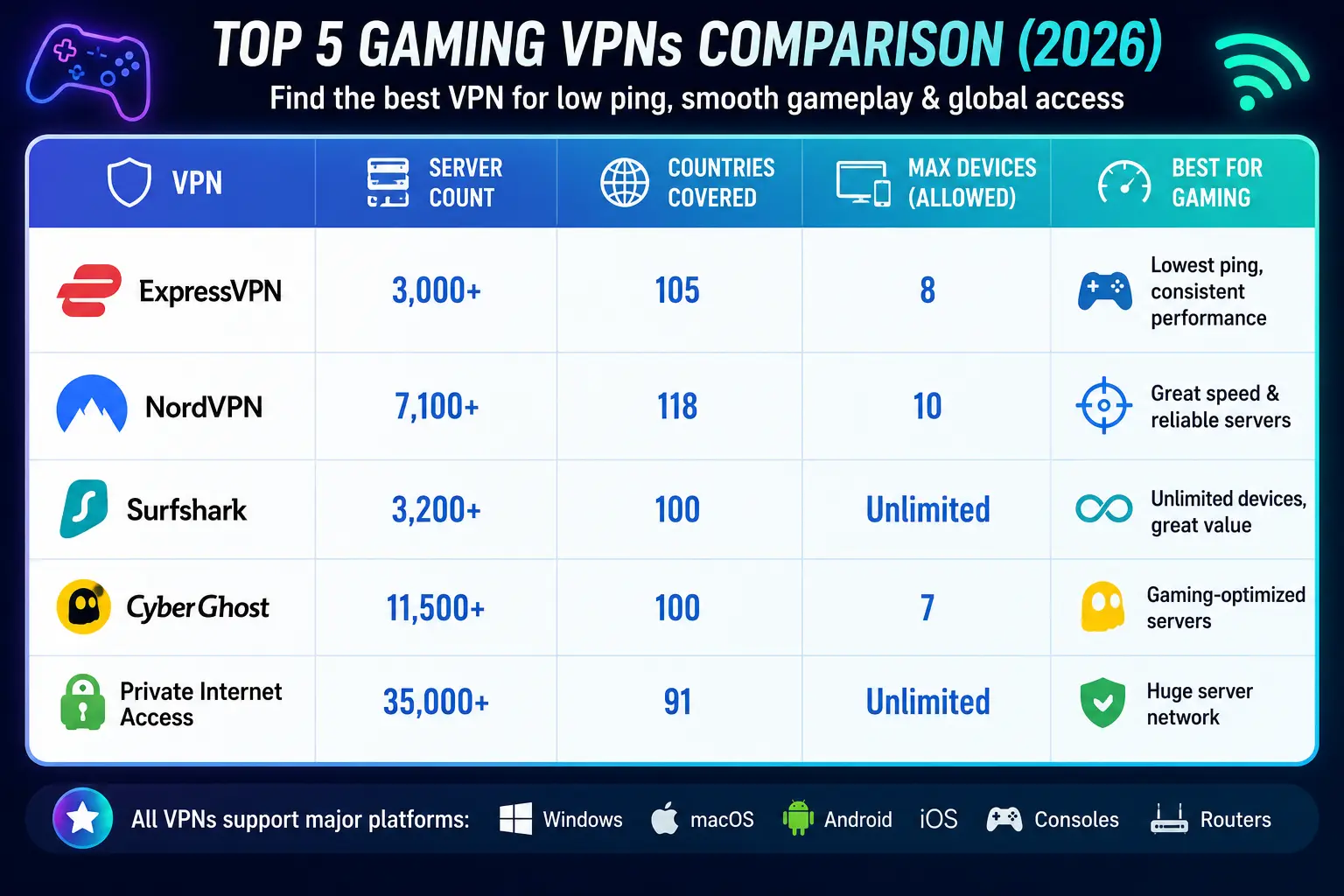
| VPN | Best For | Servers/Countries | Max Devices |
|---|---|---|---|
| ExpressVPN | Reliability, console setup | 214 locations / 113 countries | 8 |
| NordVPN | Raw speed, competitive play | 9,000+ servers / 137+ countries | 10 |
| Surfshark | Multi-device households | 4,500+ servers / 100 countries | Unlimited |
| CyberGhost | Console gamers, simplicity | 11,000+ servers / 100+ countries | 7 |
| PIA | Advanced customization | 100+ locations / 90+ countries | Unlimited |
Server and country counts change as providers expand; verify current figures on each provider’s site before publishing further updates, as several changed materially in just the past few months.
Setting One Up for Gaming (Without Wrecking Your Ping)
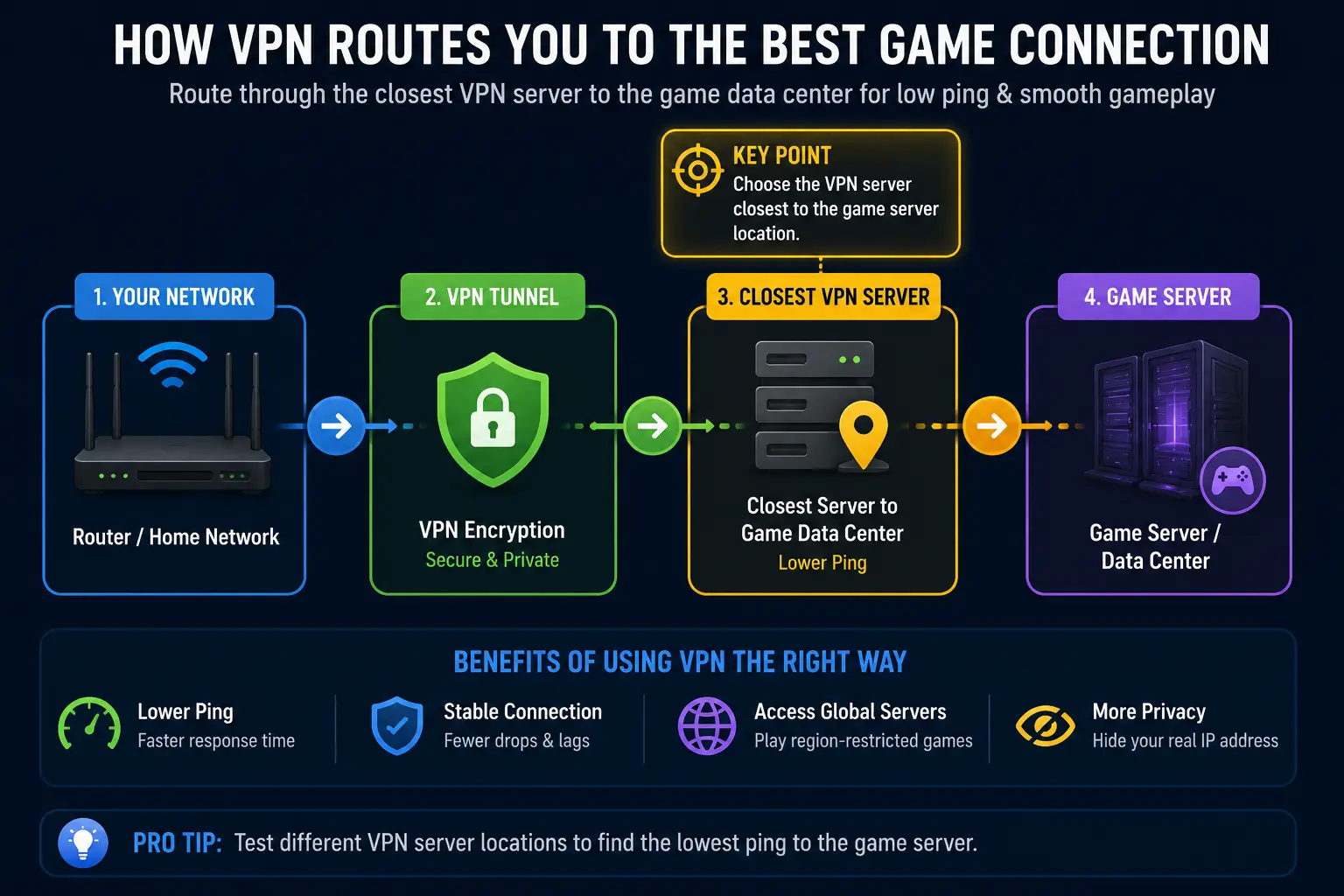
1. Match server location to the game server, not to your own location. Connecting to “United States” when the game’s servers sit in Frankfurt defeats the purpose. Check where the game actually hosts its servers (many games show this in settings or matchmaking screens) and pick a VPN server as close to that as possible; sometimes that means connecting to a VPN server in a neighboring country if it’s geographically closer to the game server than one in your own.
2. Pick the fastest protocol available. WireGuard-based protocols (NordLynx, Lightway is Express’s own build, standard WireGuard on Surfshark/CyberGhost/PIA) consistently beat OpenVPN on speed. Only fall back to OpenVPN if a network is actively blocking WireGuard traffic.
3. Use split tunneling if your provider supports it well. Route only the game through the VPN and leave Discord, browsers, and background apps on your normal connection. Less gets funneled through the encrypted tunnel, which reduces congestion and can meaningfully cut latency versus routing everything.
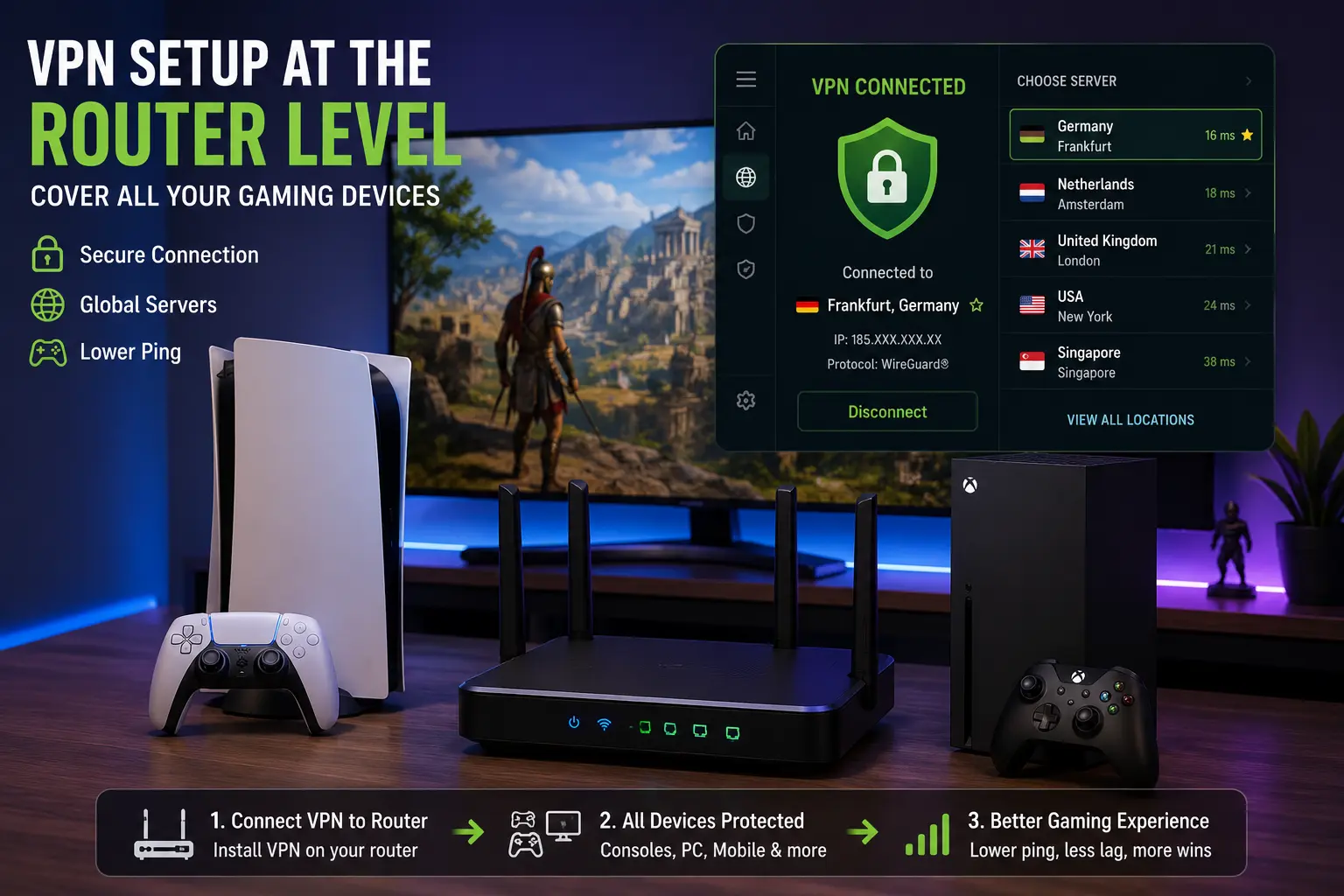
4. On console, set it up at the router level if you can. Consoles have spottier native VPN app support than PC. Configuring the VPN on a router that supports it (or using a provider’s dedicated router app, like ExpressVPN’s) covers every device on your network, consoles included, without extra setup per device.
5. Actually test before committing. Every provider above offers a money-back window. Play a real session, not just a speed test, and check your in-game ping display before deciding it’s worth keeping.
Bottom Line
A VPN isn’t a performance upgrade by default; it’s a fix for specific problems: ISP throttling, bad routing, DDoS exposure, or region locks. If none of those apply to you, save the subscription cost. If one does:
- Want it to just work? → ExpressVPN
- Chasing every millisecond? → NordVPN
- Multiple devices, one household? → Surfshark
- Console-first and want simplicity? → CyberGhost
- Like control over your settings? → PIA
Test whichever you pick for a real session before you commit past the refund window; the only test that actually matters is your own ping, in your own games.
FAQ: Best VPN for Gaming
Q. Does a VPN reduce gaming lag?
Sometimes. It can help if your ISP is throttling gaming traffic or taking an inefficient route to a game server. It won’t help and may add a few milliseconds if your connection to the game server is already fast and direct.
Q. Can a VPN get you banned in online games?
Most games don’t ban VPN use outright, but some anti-cheat systems flag VPN IP ranges for extra scrutiny, and a few competitive titles restrict matchmaking region based on your detected location. Check your specific game’s terms before relying on a VPN to access a different regional server, especially in competitive modes.
Q. Is it legal to use a VPN to access region-locked games or betas?
Using a VPN itself is legal in most countries. Whether it violates a specific game’s terms of service is a separate question; some publishers explicitly prohibit using a VPN to access content not yet released in your region, even though the VPN use itself isn’t illegal.
Q. Do I need a VPN for console gaming specifically?
The core reasons (DDoS protection, ISP throttling, geo-unlocking) apply the same on console as PC. The difference is that consoles have limited native VPN app support, so router-level configuration is usually the practical path.
Q. Will a VPN fix high ping in a specific game?
It might, if the problem is your ISP’s routing to that game’s servers. It won’t if the game server itself is overloaded or geographically far from you; no VPN closes physical distance.

I'm a tech guy at heart, always exploring, always learning. From AI and modern tech to hands-on how-to guides, I write about the things I discover so you don't have to figure it out alone.